Usage#
Kit Setup#
Before you can use the kit, you need to create a game where you can build a tower. After creating the game, open it’s settings from the cogwheel button.
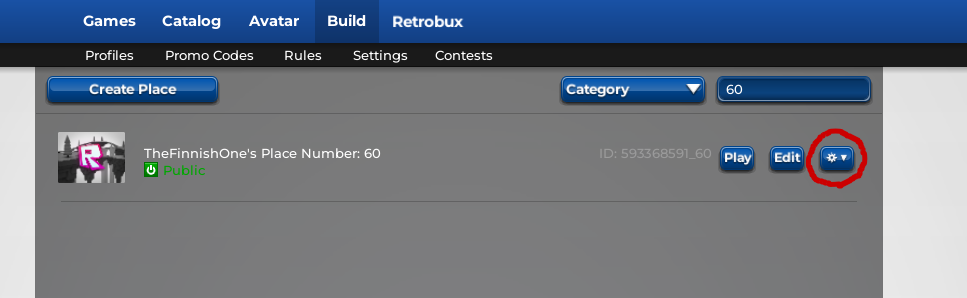
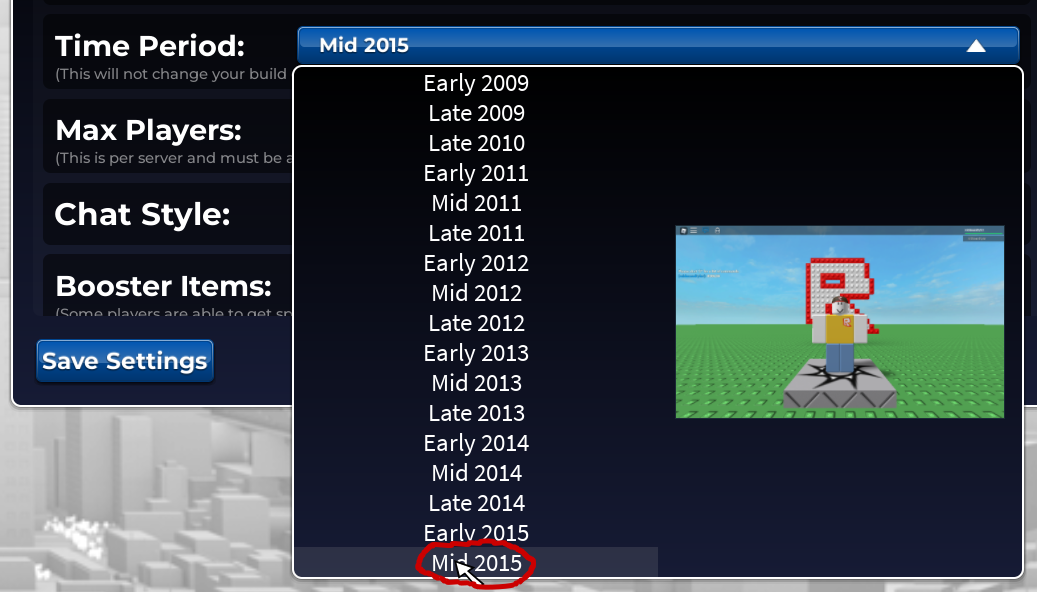
Scroll down until you find the “Time Period” option. Click the Dropdown menu, and select “Mid 2015” from the list. Any older time periods will have different physics, and the kit is not designed to work with them.
You can change any other settings as you want.
Warning
Changing the “Copylocked” setting to false is not recommended! If set to false, anyone is able to copy your game!
Make sure to press the “Save Settings” button in the bottom left corner of the window. Now, go edit your game from the “Edit” button, next to the cogwheel button.
You can delete the default baseplate, as it is misaligned, and the TBK comes with it’s own baseplate.
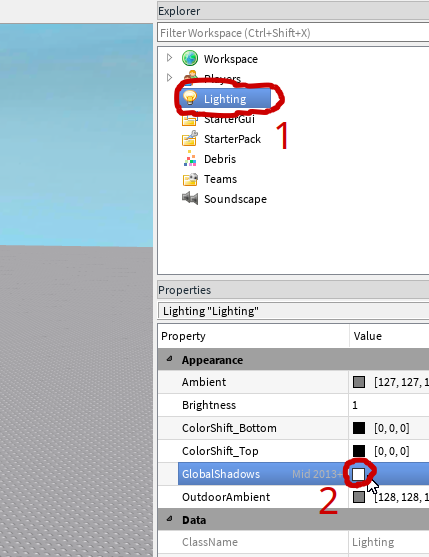
In the explorer, select the “Lighting” service, and set the “GlobalShadows” property to false in the properties window.
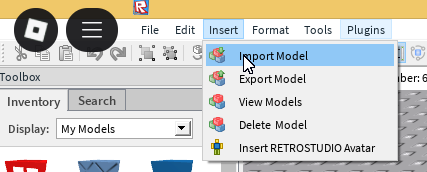
Navigate to the “Import Model” option from the “Import” menu at the top bar.
Copy the model ID of the latest TBK version from the Update Log page. Paste it to the dialog box, and click “ENTER.”
Select the imported model, and press Ctrl+U to ungroup it. Select the “Flip” and “LocalPart” ScreenGuis, and move them to “StarterGui”.
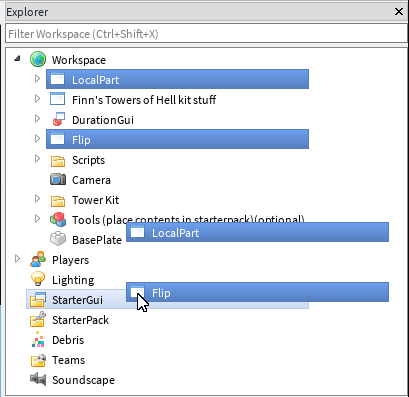
If you want to use the noclip and heal tools while playtesting your tower, move the “Tools (place contents in starterpack)(optional)” model to StarterPack, and ungroup it.
You now have everything set up for building a tower!
Tower Building#
Everything you need to use is in the “Tower Kit” folder. It has the Client Objects, purist parts in the “Obby” folder, the tower frame, and the winpad. To use client objects, select the model/part, and press Ctrl+D to duplicate it. Instead of copy-pasting, duplicated objects keeps the duplicate in the same folder, and doesn’t move it on top of the original object.
If a client object has configurable properties, they are stored in the “Configuration” folder. To change the values, select the property of the ClientObject you want to change in the explorer, go to the “properties” window, and change the “Value” property to the desired value.
Note
Cylinders have bugged hitboxes due to a RetroStudio bug. They have the same collision as balls.
Danger
If you want to learn how to make a good tower and submit it, continue to the Tower Building and Submitting page.